
Is your printer acting up? Maybe you’re trying to find out what kind of printer you have so you can buy the right ink.
It’s a common question, and figuring out if your printer is an inkjet model can save you a lot of hassle. You don’t need to be a tech whiz to tell the difference. We’ll break it down with simple steps so you can get back to printing without the guesswork.
Stick around, and we’ll show you exactly how to know for sure.

Credit: www.paperpapers.com
Ink Cartridge Check
Check your printer model. Look for ink cartridges. Most inkjet printers use these. A quick visual check confirms it.
Your printer’s ink cartridges offer a clear clue. This check is simple. It helps identify your printer type. Look at the cartridges themselves.What Do The Cartridges Look Like?
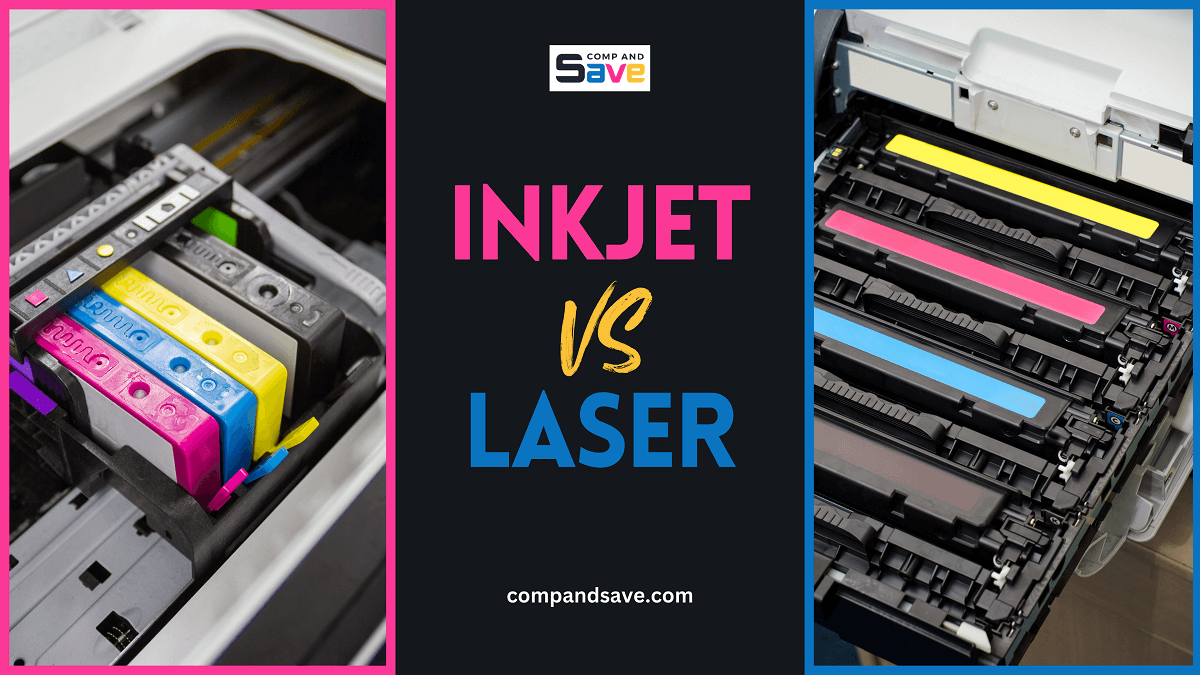
Inkjet printers use small plastic tanks. These tanks hold liquid ink. You often see multiple colors. Black is always one. Cyan, magenta, and yellow are others. These cartridges are usually replaceable. They click into place.Are They Separate Or Integrated?
Some inkjet printers have separate cartridges. You replace each color individually. Other inkjet models have an integrated print head. The print head has the ink tanks attached. You replace the entire unit. This is still an inkjet feature.What About Toner?
Laser printers use toner cartridges. Toner is a dry powder. It looks very different. Toner cartridges are often larger. They are usually black. They do not hold liquid ink. They use a drum unit. This is a key difference.Print Head Location
Inkjet printers have a print head on the ink cartridge. This head sprays tiny ink drops. Laser printers use a different system.
Print Head Location: A Key Indicator
Locating the print head is a good clue. Inkjet printers have a print head. This part sprays ink. It moves across the paper. Laser printers do not have this.Where To Find The Print Head
Look inside your printer. Open the ink cartridge access door. See the carriage that holds cartridges. This carriage moves back and forth. It contains the print head. This is common for inkjet models.What The Print Head Looks Like
The print head is small. It has many tiny nozzles. These nozzles spray ink precisely. You might see a metal strip. This strip guides the carriage. It is usually a dark color.Separate Vs. Integrated Print Heads
Some printers have integrated heads. The print head is part of the cartridge. Other printers have a separate print head. It stays in the printer. The ink cartridges replace separately. Both are inkjet technology.Absence Of A Print Head
Laser printers work differently. They use a drum and toner. There is no movable print head. Toner powder sticks to the drum. Heat fuses it to the paper. You will not find a print head.Print Quality Clues
Examine your printed pages. Look for smooth, solid color blocks. Inkjet printers often show faint lines or dots in these areas.
Your printer’s output tells a story. It reveals its internal workings. Examine your prints closely. You will find tells. These clues point to inkjet technology.Color Blending
Inkjet printers excel at color. They mix tiny ink droplets. This creates smooth color transitions. Photos look vibrant. Gradients appear seamless. Solid blocks of color show no banding. This is a hallmark of inkjet.Ink Smudging
Do your prints smudge easily? This is a strong indicator. Inkjet ink sits on the paper surface. It needs time to dry. Touching a wet print causes smudges. This does not happen with laser toner. Toner fuses to the paper. It is much more durable.Printer Model Number
Your printer model number is a key identifier. It tells you many things. It helps you find supplies. It guides troubleshooting. This number is crucial. It is your printer’s unique name.
Finding Your Printer Model Number
Look at the printer’s body. The model number is usually on the front. Sometimes it is on the top. Check the back. The side is another spot. It is often in plain sight. A sticker usually shows this number.
Decoding The Model Number
Model numbers have patterns. They often start with letters. Numbers follow the letters. Some numbers indicate series. Others show specific features. Manufacturers use these codes. They organize their products.
Searching Online With Your Model Number
Once you have the number, search. Type it into a search engine. Add “printer” to your search. You will see many results. These results help identify your printer type. Look for official manufacturer sites. They have detailed information.
Manual Inspection
Manual inspection helps identify printer types. Look for ink cartridges. Inkjet printers use them for printing.
The most straightforward way to identify your printer type is a good old-fashioned manual inspection. You can often tell a lot just by looking. No special tools needed. Just your eyes and a little bit of detective work.Look At The Cartridges
Inkjet printers use ink cartridges. These cartridges hold liquid ink. They usually have a smaller, lighter appearance. You might see multiple colors. Yellow, cyan, magenta, and black. They often have a small nozzle. Ink sprays from this nozzle.
Check The Printer’s Design
Inkjet printers often have a sleek design. They are typically lighter. You can usually see the print head. The print head moves back and forth. It sprays ink onto the paper. Some inkjets have a lid. You lift this lid to access cartridges.
Examine The Ink Compartment
Open the printer’s top cover. Look for where the ink goes. Inkjet printers have separate ink tanks. These tanks hold liquid ink. They are usually plastic. They might have a specific shape.

Credit: www.pcmag.com
Sound Of Printing
Printers make noise. Each type has a distinct sound. Listen closely. It gives clues. Your printer’s sound matters. It helps identify the type.
The Distinct Hum Of Inkjet
Inkjet printers are often quiet. They have a gentle whirring sound. You hear the print head move. It glides back and forth. This motion is characteristic. It is a soft, steady sound. It is not a loud thudding. The paper feeds smoothly. The sound is light. It is not jarring.
What A Laser Printer Sounds Like
Laser printers sound different. They produce a louder hum. You may hear a grinding noise. This comes from the toner drum. It rotates to transfer ink. The paper feed is also more robust. It sounds more mechanical. It has a deeper tone. It is a more powerful sound. It is not a gentle whisper.
Comparing The Audio Cues
Inkjet sounds are softer. Laser printer sounds are louder. Listen for the print head movement. Inkjets have a side-to-side glide. Laser printers have a more constant hum. The paper handling differs too. Inkjet paper movement is lighter. Laser paper movement is more forceful. These sounds offer clear distinctions.
Credit: www.compandsave.com
Frequently Asked Questions
What Is An Inkjet Printer?
Inkjet printers spray tiny ink droplets. They create images on paper. This is how they print.
How Do Inkjet Printers Work?
Inkjet printers heat ink. This makes a bubble. The bubble pushes ink out. It lands on the paper.
What Are Common Inkjet Printer Brands?
Many brands make inkjet printers. Canon, Epson, and HP are popular. Brother also offers inkjet models.
How To Identify My Printer Type?
Check your printer’s model name. Look for “Inkjet” or “All-in-One. ” Your manual also has this info.
Do Inkjet Printers Use Cartridges?
Yes, inkjet printers use cartridges. They hold liquid ink. You replace them when empty.
Can Inkjet Printers Print Photos Well?
Inkjet printers excel at photos. They produce vibrant, detailed images. This makes them great for pictures.
Is Inkjet Technology Outdated?
Inkjet technology is still current. It’s good for home and office. Many people still use them daily.
Conclusion
Your printer is likely inkjet. Check its ink cartridges. These are small, plastic. They hold liquid ink. Laser printers use toner. Toner is a powder. Look for the brand name. Many brands use inkjet. This guide helped you. Now you know for sure.
Happy printing!