
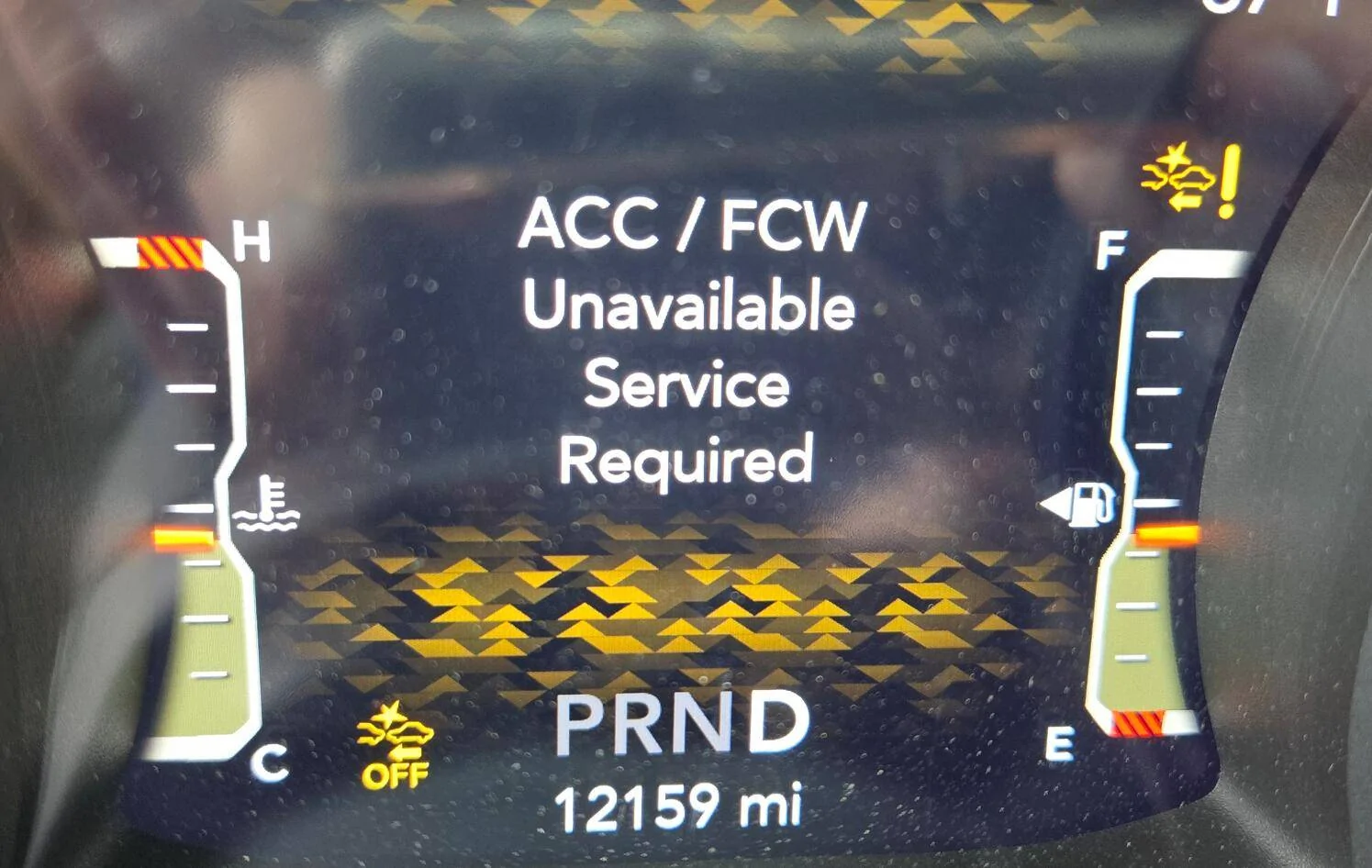
If you’ve ever seen the warning “ACC FCW Unavailable Service Required” pop up on your car’s dashboard, you know how frustrating it can be. This message isn’t just confusing—it can also make you worry about your safety on the road.
But don’t panic. You’re about to learn simple, clear steps to fix this issue and get your car’s safety features working smoothly again. Keep reading, and you’ll find out exactly what causes this warning and how you can solve it quickly, even if you’re not a car expert.
Causes Of Acc Fcw Unavailable Message
The “ACC FCW Unavailable” message often appears on your car’s dashboard. This alert means the Adaptive Cruise Control (ACC) or Forward Collision Warning (FCW) system is not working. Understanding the causes helps you find the right fix quickly. Several issues can trigger this message.
Sensor Malfunction
Sensors detect objects and maintain safe distances. Dirt, damage, or misalignment can cause sensor failure. A malfunctioning sensor stops the system from working properly. This triggers the “unavailable” warning.
Software Glitches
Modern cars rely on software to run safety features. Bugs or glitches in the software can cause errors. Sometimes, a simple reset or update fixes the issue. Software problems can block the ACC and FCW systems.
Camera Obstruction
Cameras scan the road to detect hazards. Dirt, snow, or debris on the lens can block the view. This stops the system from recognizing obstacles. Cleaning the camera lens often clears this problem.
Electrical Issues
Wiring problems affect communication between sensors and the car’s computer. Loose connections or blown fuses can cause electrical failures. These issues disrupt ACC and FCW functions. Checking the electrical system helps find the fault.

Credit: www.youtube.com
Diagnosing The Problem
Diagnosing the “ACC FCW Unavailable Service Required” warning starts with understanding the root cause. This message usually points to issues in the adaptive cruise control or forward collision warning systems. Finding the exact problem helps avoid unnecessary repairs and keeps your vehicle safe.
Using An Obd-ii Scanner
An OBD-II scanner reads error codes from your car’s computer. These codes give clues about system faults. Connect the scanner to the car’s port, usually under the dashboard. Follow the scanner’s instructions to pull the codes. Write down the codes and look up their meanings in the manual or online.
This tool helps identify sensor failures or communication issues. It saves time by pinpointing the problem area quickly.
Visual Inspection Of Sensors
Sensors play a key role in ACC and FCW systems. Check sensors on the front grille, bumper, and windshield. Look for dirt, damage, or loose connections. Clean any dirt or debris gently with a soft cloth. Damaged sensors may need replacement. Make sure all connections are tight and secure.
Regular inspection prevents false warnings and improves system accuracy.
Checking For Software Updates
Car manufacturers release software updates to fix bugs. These updates can solve issues causing the warning message. Check your car’s manual for update instructions. Use the manufacturer’s app or visit a dealer to get updates. Keep your car’s software current to ensure smooth system function.
Software updates often improve safety features and system stability.
Quick Fixes For Acc Fcw Unavailable
The ACC FCW (Adaptive Cruise Control Forward Collision Warning) system helps keep you safe on the road. Sometimes, this system shows “Unavailable Service Required.” This means the system needs attention. Quick fixes can often solve this problem without a visit to the mechanic.
Try these simple steps to get your ACC FCW back to working order. They are easy and fast to do. These fixes help you save time and keep your car’s safety features active.
Restarting The Vehicle System
Turn off your vehicle completely. Wait for at least 30 seconds. Then, turn the vehicle back on. Restarting can reset the system and clear minor errors. This simple step often solves many electronic glitches.
Check if the ACC FCW message disappears. If it stays, try other fixes below.
Cleaning Sensors And Cameras
The ACC FCW uses sensors and cameras to detect obstacles. Dirt, mud, or snow can block them. Clean these parts gently with a soft cloth. Avoid harsh chemicals that can damage the lenses.
Make sure no debris covers the front grille or windshield area near sensors. Clear sensors help the system work correctly and reduce false warnings.
Resetting The System Settings
Access your vehicle’s settings menu. Find the option to reset driver assistance systems. This resets ACC FCW settings to factory defaults. It can fix software glitches causing the error message.
Follow your vehicle’s manual for exact reset steps. After resetting, test the system to see if it works again.
Credit: www.jlwranglerforums.com
When To Seek Professional Help
Knowing when to seek professional help for the “ACC FCW Unavailable Service Required” warning is important. Some issues need expert tools and skills. Attempting to fix these problems alone may cause more damage or safety risks.
Professional technicians can diagnose the exact cause quickly. They have experience with vehicle systems and the right equipment. Choosing expert help ensures your vehicle stays safe and reliable.
Persistent Warning Messages
Warning messages that do not go away after simple resets need expert attention. Continuous alerts may indicate deeper electrical or sensor problems. Professionals can run detailed tests to find hidden faults.
Complex Sensor Replacement
Replacing sensors for ACC or FCW systems often requires special tools. Sensors are delicate and must be installed precisely. A professional can handle the job without causing errors or system failures.
Software Recalibration
After repairs, the vehicle’s software may need recalibration. This process adjusts the system to work correctly with new parts. Only trained technicians have the proper devices to perform these updates safely.
Preventive Tips To Avoid Acc Fcw Issues
Preventing ACC FCW issues helps keep your car’s safety systems working well. Simple steps can reduce errors and avoid service warnings. Follow these tips to maintain your vehicle’s advanced driver assistance features.
Regular Sensor Maintenance
Clean sensors often to avoid dirt buildup. Use a soft cloth and mild cleaner. Check sensors for cracks or damage regularly. Sensors must stay clear to detect obstacles correctly. Blocked or dirty sensors cause false warnings or system failure.
Keeping Software Updated
Install updates from your car manufacturer. Software updates fix bugs and improve system performance. Check for updates during regular service visits. Updated software helps ACC and FCW function smoothly. Outdated software may trigger error messages or reduce effectiveness.
Safe Driving Practices
Drive cautiously to support ACC and FCW systems. Avoid sudden stops and sharp turns. Maintain safe distances from other vehicles. Aggressive driving can confuse sensors and cause warnings. Smooth driving helps sensors work better and lasts longer.

Credit: www.youtube.com
Frequently Asked Questions
What Does Acc Fcw Unavailable Mean On My Car?
ACC FCW Unavailable means the car’s Adaptive Cruise Control and Forward Collision Warning are not working. The system needs a check or service. It might be due to sensor or software issues.
Why Does My Acc Fcw Say Service Required?
This message means the ACC FCW system has a problem and needs professional attention. It can be caused by dirty sensors, software errors, or hardware faults. Timely service can prevent bigger issues.
How Can I Reset The Acc Fcw Unavailable Warning?
Resetting may work by turning the car off and on again after a few minutes. Some cars need a system reset via the settings menu. Check your car manual for exact steps.
Can Dirty Sensors Cause Acc Fcw Unavailable?
Yes, dirt or debris on sensors can stop ACC and FCW from working. Cleaning the front sensors gently with a soft cloth can fix this. Always keep sensors clear for safety.
Is Software Update Needed For Acc Fcw Errors?
Sometimes, a software update fixes bugs causing ACC FCW errors. Check with your dealer or service center for updates. Updated software improves system reliability.
Can Low Battery Voltage Affect Acc Fcw Systems?
Low battery voltage may cause electronic systems to malfunction, including ACC FCW. Ensure your battery is healthy and fully charged. Replace old batteries to avoid errors.
What Should I Do If Acc Fcw Stops Working Suddenly?
Stop driving safely and check for warning lights or messages. Clean sensors and restart the vehicle. If the problem persists, visit a mechanic or dealer.
Does Bad Weather Cause Acc Fcw Unavailable?
Heavy rain, snow, or fog can block sensors and cause the system to stop working. Wait for weather to clear or clean sensors when possible. System usually works again after conditions improve.
Can A Fuse Issue Cause Acc Fcw Warning?
Yes, a blown fuse related to ACC FCW can disable the system. Check your fuse box for any blown fuses and replace if needed. Use the car manual for fuse locations.
Is Professional Service Always Needed For Acc Fcw Problems?
Not always. Simple issues like dirty sensors can be fixed at home. Complex problems, like sensor failure or software faults, require professional service. Proper diagnosis ensures safety.
Conclusion
Fixing the ACC FCW unavailable service message is possible. Start by checking your vehicle’s sensors and cameras for dirt or damage. Reset the system by turning the car off and on again. Sometimes a software update from your dealer helps.
Don’t ignore warning signs; they keep you safe. Regular maintenance prevents these issues. Stay calm and follow these steps to get your system working again. Your car’s safety features should always be ready to protect you on the road.