
Is your Epson EcoTank running low on ink? Don’t panic!
Refilling your EcoTank is simpler than you might think. You’ll be back to printing vibrant photos and crisp documents in no time. This guide will walk you through every step, making sure you get it right the first time. Let’s get your printer ready for action!

Credit: www.youtube.com
Ecotank Basics
Understanding your Epson Ecotank printer starts here. We break down the essentials. This section covers core Ecotank knowledge. Get ready to learn the basics.
What Is An Ecotank?
Epson Ecotank printers are different. They have built-in ink tanks. These tanks hold much more ink. You refill them with bottles. No more expensive cartridges. It’s a simpler ink system.
Why Choose Ecotank?
Save money on ink. Ecotank printers offer low cost per page. Print thousands of pages. Reduce waste from cartridges. Enjoy hassle-free printing. Less frequent ink refills needed. It’s an economical choice.
Ink Bottle Anatomy
Epson ink bottles have a special design. They feature a unique nozzle. This nozzle fits Ecotank ports. It prevents spills and errors. Just insert and let ink flow. The bottle shape helps too. Easy filling is the goal.
Credit: www.ldproducts.com
Gather Your Supplies
Before you fill your Epson EcoTank, gather everything you need. This makes the process smooth. It prevents interruptions. A little preparation goes a long way.
Epson Ink Bottles
You need genuine Epson ink bottles. Use the correct colors. Check your printer model. Ensure you have all required ink colors. This guarantees print quality. Fake ink can damage your printer.
Printer Ready
Turn your printer on. Open the ink tank cover. Position your printer for easy access. Make sure it is stable. This prevents spills. The printer should be ready to receive ink.
Workspace Prep
Prepare a clean workspace. Lay down newspaper or a mat. This protects surfaces from spills. Have paper towels handy. You might need them. A tidy space makes refilling simple.
Prepare The Printer
First, ready your Epson EcoTank printer. Ensure it is powered off and unplugged. Clear the print heads for smooth ink flow.
Getting your Epson EcoTank ready is simple. A few easy steps ensure a smooth ink refill. This preparation makes the process efficient. You will be printing again quickly.Powering On
Turn on your Epson printer. Locate the power button. It is usually on the front. Wait for the printer to fully boot up. This is important for system checks.Accessing The Ink Tanks
Open the ink tank cover. This cover protects the tanks. It might be on the side. Lift it gently. The ink tanks are now visible.Removing Sealant
Remove any sealant tape. You might see it on the tanks. Peel it off carefully. Some printers have caps. Remove these plastic caps too. This allows ink to flow.Filling The Tanks
Filling the tanks is a simple process. You will add ink to your Epson EcoTank. Follow these steps carefully. Your printer will be ready to print. It is straightforward. Do not worry.
Color Coding Is Key
Your Epson EcoTank has color-coded ports. Match ink colors to port colors. Black ink goes in the black port. Cyan ink goes in the cyan port. This prevents mistakes. It ensures correct ink placement.
Opening The Ink Bottle
Each ink bottle has a special cap. Twist the cap to open it. You will hear a pop. Remove the cap completely. Discard the cap safely. Do not lose the cap.
Nozzle Alignment
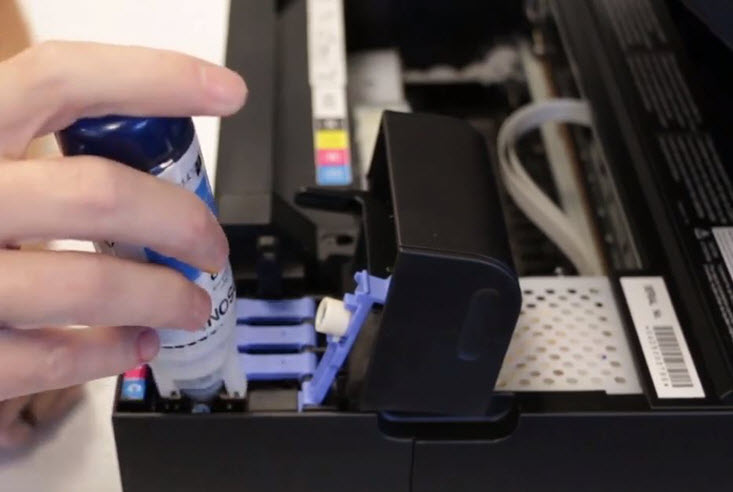
The ink bottle has a nozzle. This nozzle fits the tank port. Align the nozzle with the port. Make sure it fits snugly. A good fit prevents leaks. It ensures a clean fill.
Gentle Pouring
Gently squeeze the ink bottle. The ink flows into the tank. Do not squeeze too hard. Let gravity do its work. Watch the ink level rise. Pour until the bottle is empty.
Filling Levels Explained
Each tank has a fill line. Do not overfill the tank. Stop when the ink reaches the line. The ink level indicator shows this. It is usually at the top. This prevents overflow.
Avoiding Spills
Keep the bottle upright. Hold the bottle steady. Pour slowly and carefully. Wipe up any drips immediately. Use a soft cloth. Spills can stain surfaces. Be neat and tidy.
Post-fill Checks
After filling your Epson Ecotank, check ink levels. Ensure caps are closed securely. This confirms a successful refill.
The ink is in. Now what? Post-fill checks are very important. They ensure your Epson EcoTank works correctly. These steps prevent messes. They also prepare the printer. Follow these simple steps.Securing Tank Caps
Close all ink tank caps. Make sure they click shut. This stops ink leaks. It also keeps dust out. A secure cap is vital.Wiping Away Excess Ink
Ink might spill a little. Use a soft cloth. Wipe any spills gently. Do not scrub hard. Clean the tank area well. A clean printer is happy.Printer Initialization
Turn on your printer. It needs to prepare ink. This process is called initialization. It can take a few minutes. Watch the printer screen. It will tell you when ready. Your EcoTank is now set.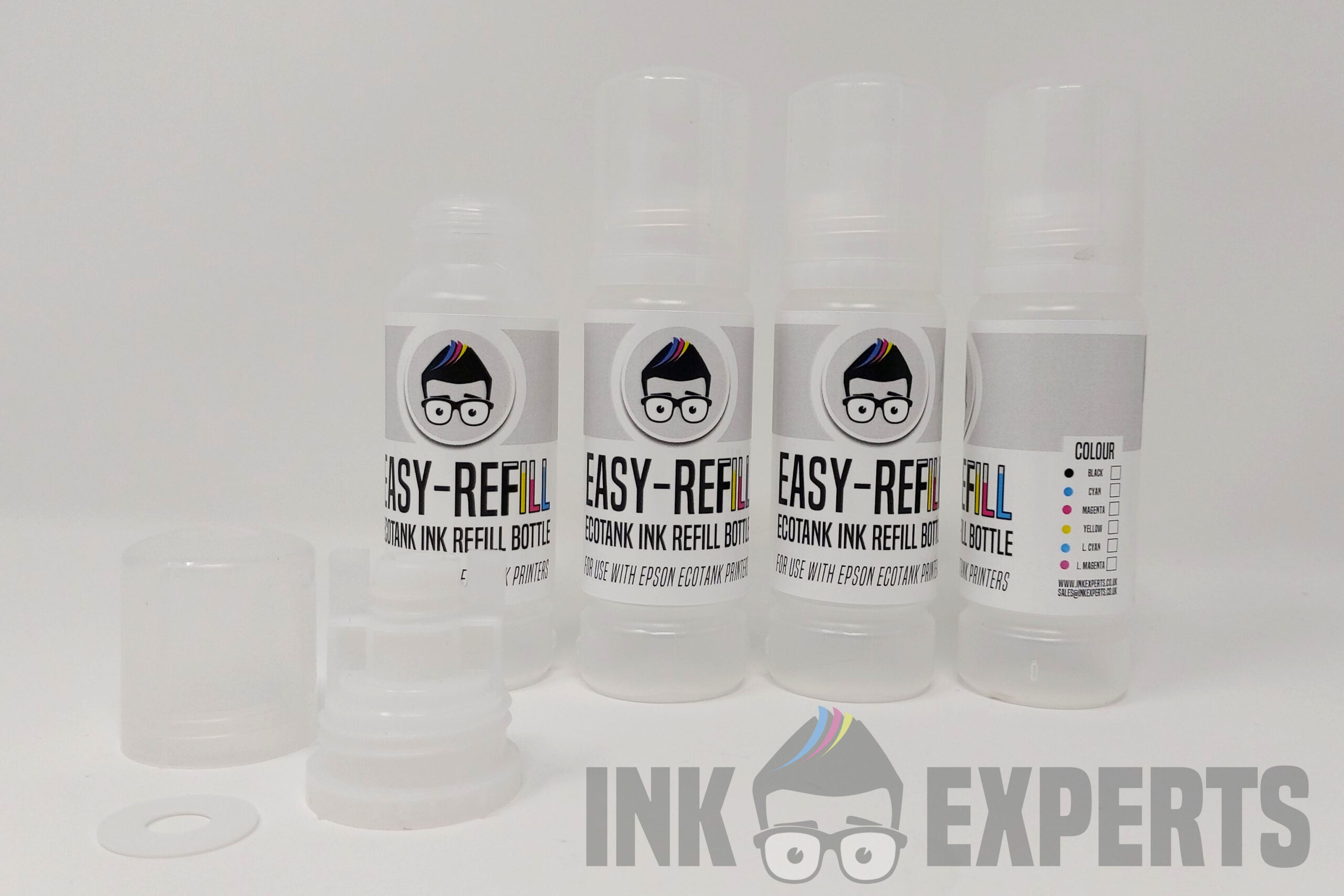
Credit: www.inkexperts.co.uk
Troubleshooting Tips
Filling your Epson EcoTank is simple. Follow these easy steps for a mess-free refill. Troubleshooting common issues ensures a smooth process.
Filling your Epson EcoTank is usually simple. Sometimes, things don’t go as planned. This section helps you fix common issues. We cover ink flow problems. We also address spills and error messages. Get your printer working again.Ink Not Flowing?
Is ink not reaching the print head? Check the ink tank caps. Ensure they are fully closed. This seals the tank. It allows ink to flow. Next, check the air vents. They must be open. The vents let air in. This prevents a vacuum. Airflow is crucial. Gently shake the ink bottle. This mixes the ink. Sometimes ink settles. Did you recently move the printer? It might need priming. Refer to your manual. Priming ensures ink delivery.Spills And Messes
Accidents happen. Ink spills are messy. Keep paper towels handy. Clean spills immediately. Use a damp cloth. Avoid harsh chemicals. They can damage the printer. Wipe down the bottle. Make sure it is dry. This prevents drips. Store the bottle upright. This stops leaks. Wash your hands thoroughly. Ink can stain.Error Messages
Printers show error codes. These codes help diagnose problems. Consult your Epson manual. It lists all error codes. Many errors relate to ink. Check ink levels. Are they too low? Refill the correct colors. Ensure the caps are secure. Sometimes, a restart helps. Turn off the printer. Unplug it for a minute. Plug it back in. Turn it on again. This resets the system. If errors persist, contact support.Ecotank Maintenance
Epson EcoTank printers offer great value. Proper maintenance keeps them running smoothly. This ensures your printer lasts longer. You get consistent print quality too. Follow these simple steps.
Regular Cleaning
Dust can clog your printer. Wipe the exterior often. Use a soft, dry cloth. Clean the print head regularly. This prevents dried ink. Your printer manual shows how. It is a quick task. It makes a big difference.
When To Refill
Watch the ink levels closely. Your printer screen shows levels. Some models have indicator lights. Do not let tanks run dry. Refill before they are empty. This protects the print head. You avoid air bubbles. Refilling is easy. Do it when needed.
Ink Storage
Store ink bottles upright. Keep them in a cool place. Avoid direct sunlight. Seal the bottles tightly. This stops ink from drying. Use original Epson ink. It is made for your printer. Proper storage ensures good ink.