
Is your Sirius satellite radio giving you trouble with weak signals or constant interruptions? You’re not alone—and the fix might be easier than you think.
Your antenna plays a crucial role in delivering clear, uninterrupted sound. If it’s damaged or not working right, you’ll notice it immediately. But don’t worry, you don’t have to be a tech expert to get your radio back on track.
In this guide, you’ll find simple, step-by-step tips to diagnose and fix your Sirius satellite radio antenna quickly. Keep reading—your favorite channels are waiting.

Credit: www.youtube.com
Common Antenna Issues
Many Sirius satellite radio antenna problems come from common issues. Knowing these problems helps fix the antenna quickly. Problems often stop the radio from working well. The antenna may lose signal, get damaged, or face connection troubles. Each issue affects radio performance in different ways.
Signal Loss Causes
Signal loss happens when the antenna cannot catch the satellite signal. Trees, buildings, or bad weather can block signals. Poor antenna placement also causes weak signals. Dirt or dust on the antenna surface reduces signal strength. Signal loss makes the radio sound weak or stop playing.
Physical Damage Signs
Physical damage to the antenna affects its function. Cracks, dents, or broken parts show damage. The antenna might bend or break after storms or accidents. Rust or corrosion on metal parts also harms the antenna. Damaged antennas need repair or replacement to work again.
Connection Problems
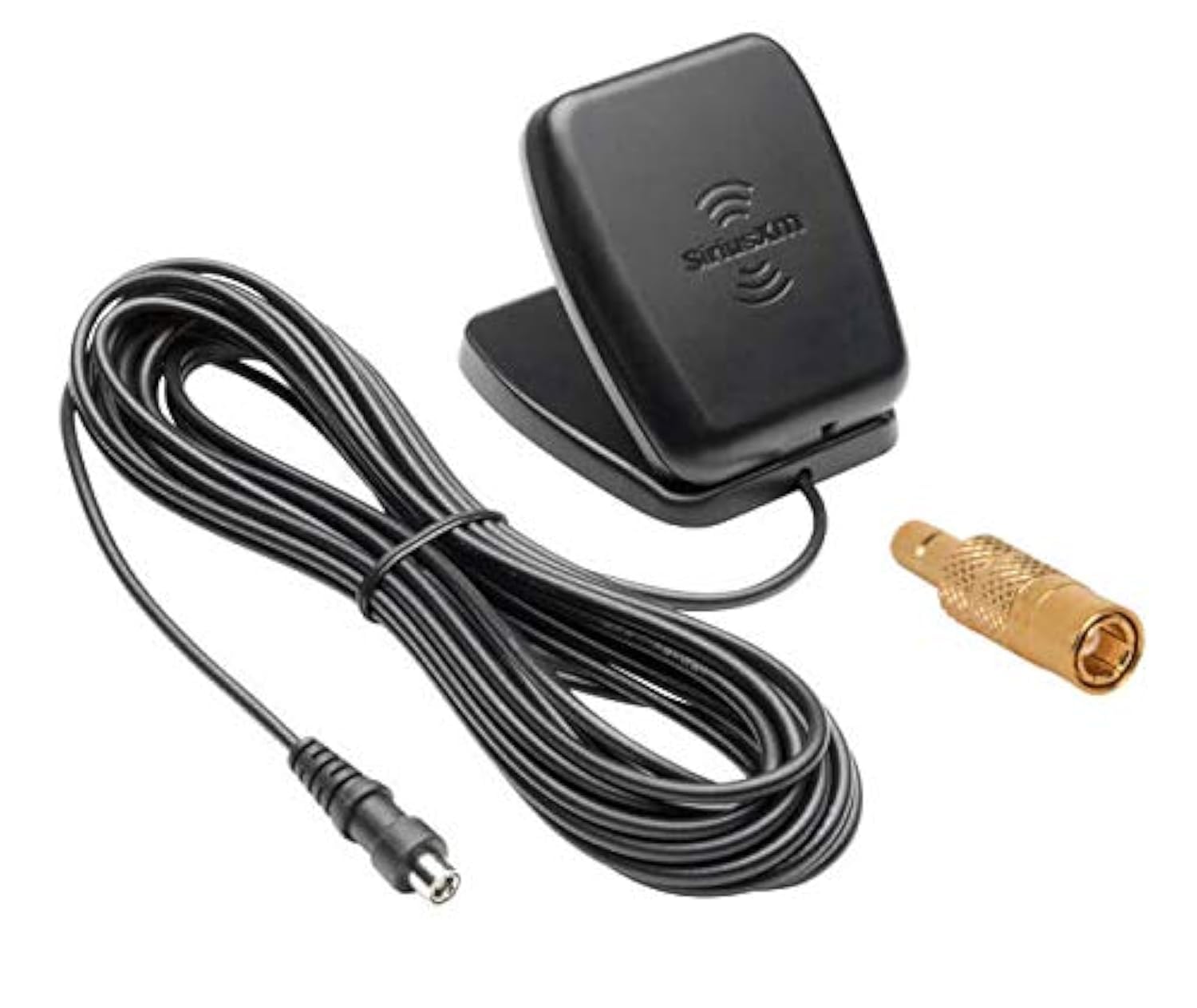
Connections link the antenna to the radio. Loose or broken cables cause poor signal or no sound. Check cable plugs for dirt or corrosion. Worn wires inside cables reduce signal quality. Tightening or replacing cables often solves connection issues.
Credit: www.amazon.com
Tools And Materials Needed
Fixing a Sirius satellite radio antenna needs the right tools and materials. Having these ready makes the job easier and faster. You can avoid delays and frustration by preparing in advance.
Some tools help with simple repairs. Others are needed to replace broken parts. Safety gear keeps you protected during the process. Below are the main items you will need.
Basic Repair Tools
Start with a small screwdriver set. Both flathead and Phillips head types are useful. A pair of pliers helps with gripping and twisting. Wire cutters or strippers are needed to handle cables. A multimeter can test electrical connections. A flashlight is useful for dark or hard-to-see areas.
Replacement Parts
You may need a new antenna or cable. Make sure the parts fit your Sirius radio model. Check for compatible connectors and length of cables. Some repairs require new mounting brackets or screws. Having extra parts saves time during repairs.
Safety Gear
Wear gloves to protect your hands from sharp edges. Use safety glasses to protect your eyes from debris. If you work on a roof, use a sturdy ladder and non-slip shoes. Keep your workspace clean and dry to avoid accidents.
Preparing For Repair
Preparing for repair is the first step to fixing your Sirius satellite radio antenna. Proper preparation helps avoid mistakes and keeps the process safe. Take time to gather information and set up your workspace before starting. This section explains key tasks to prepare for the repair.
Locating The Antenna
Find the antenna on your vehicle. It is often on the roof or near the windshield. Check your car manual if unsure. Make sure you can easily reach the antenna before starting work. Knowing its exact location saves time and effort.
Turning Off The Radio
Turn off the Sirius radio and the car engine. This prevents electrical issues during repair. Disconnect the car battery to be extra safe. Avoid working on live circuits to protect yourself and the radio system.
Clearing The Work Area
Clear the area around the antenna. Remove any objects that block your access. A clean workspace reduces risks of losing small parts. It also makes the repair process smoother and faster.
Fixing Loose Connections
Fixing loose connections is a key step in restoring your Sirius satellite radio antenna. Loose wires or cables can cause weak or no signal at all. Checking and securing these connections helps improve signal strength and overall radio performance.
Checking Cable Connections
Start by unplugging the antenna cable from the radio and the antenna itself. Look for any visible damage or frays on the cable. Make sure connectors are clean and free from dust or corrosion. Reconnect the cable firmly to both ends, ensuring a tight fit.
Securing Loose Wires
Examine any exposed wires near the antenna and radio. If wires are loose, use electrical tape or zip ties to hold them in place. Avoid bending or twisting wires sharply, as this can cause damage. Secure wires away from moving parts or heat sources.
Testing Signal Strength
Turn on your Sirius radio and check the signal strength meter. If the signal is weak or drops frequently, recheck all connections. Try adjusting the antenna position slightly to find the best reception spot. Repeat testing until the signal improves.
Repairing Physical Damage
Repairing physical damage on a Sirius satellite radio antenna is crucial. Small cracks or breaks can cause signal loss. Exposed wires can lead to poor reception or even failure. Fixing these issues quickly helps keep your radio working well.
Fixing Cracks And Breaks
Start by cleaning the damaged area gently. Use a soft cloth and mild soap to remove dirt. Dry the area completely before repair. Apply strong adhesive or epoxy to seal cracks. Hold the parts together until the glue sets. Avoid using too much glue, which can cause a mess. Let the repair cure for several hours. This step strengthens the antenna structure and stops further damage.
Sealing Exposed Wires
Check for any wires showing through the antenna casing. Exposed wires can cause signal problems and shorts. Use electrical tape to cover the wires carefully. Wrap the tape tightly to prevent moisture entry. For better protection, apply heat shrink tubing. Slide tubing over the wire and heat it to shrink. This method shields wires and keeps them safe from weather. Always ensure no wire strands stick out after sealing.
Replacing Damaged Antenna Parts
Some damages may require part replacement. Identify the broken component, such as the antenna tip or base. Purchase a compatible replacement from a trusted supplier. Remove the damaged part by loosening screws or clips. Attach the new part securely, following product instructions. Test the antenna signal after replacement. A good connection improves sound quality and reliability. Regular checks help spot parts needing replacement early.
Repositioning The Antenna
Repositioning the Sirius satellite radio antenna can improve signal strength and reduce interruptions. Small changes in placement often make a big difference. This section explains how to find the best spot, adjust the angle, and avoid obstacles.
Finding Optimal Placement
Start by placing the antenna where it can get a clear view of the sky. Higher spots usually work better. Try the dashboard, near the windshield, or on the roof. Test different locations to see which gives the strongest signal.
Adjusting Angle And Direction
Point the antenna toward the southern sky, where satellites orbit. Tilt it slightly to face the signal source directly. Move it slowly while checking the signal strength. Small angle changes can improve reception a lot.
Avoiding Obstructions
Keep the antenna away from metal objects and thick walls. Trees, buildings, and car roofs can block signals. Clear any obstacles between the antenna and the sky. Open spaces help the antenna catch signals better.
Testing And Troubleshooting
Testing and troubleshooting your Sirius satellite radio antenna helps find the root cause of signal problems. It saves time and money by avoiding unnecessary replacements. This section covers simple steps to check signal quality and reset the radio.
Verifying Signal Quality
First, check the signal strength on your radio screen. Most Sirius radios show signal bars or a signal meter. If the signal is weak or missing, try moving your vehicle or antenna to a different location. Clear surroundings improve signal reception. Look for any obstructions like tall buildings or trees blocking the antenna’s view of the sky. Also, inspect the antenna cable for cuts or loose connections. A secure and undamaged cable is essential.
Resetting The Radio
Resetting the radio can fix many issues caused by software glitches. Turn off your Sirius radio and unplug it from power. Wait for about 30 seconds. Plug it back in and turn it on. The radio may take a few minutes to reconnect to the satellite network. This step often restores lost channels or poor signal problems. If the radio has a reset button, press it according to the user manual instructions.
When To Seek Professional Help
If signal problems persist after testing and resetting, professional help may be needed. Technicians have specialized tools to test antenna components and wiring. They can detect hidden damage or faulty parts. Visit an authorized Sirius service center or a trusted car audio shop. Avoid attempting complex repairs yourself to prevent further damage. Professional help ensures your radio works properly again.
Maintenance Tips
Keeping your Sirius satellite radio antenna in good shape helps maintain clear sound and strong signal. Small actions can stop big problems. Regular care makes the antenna last longer and work better. Follow these simple maintenance tips to protect your antenna and enjoy your music without interruptions.
Regular Cleaning
Dust and dirt block the antenna signal. Clean the antenna with a soft cloth every few weeks. Avoid harsh chemicals that can damage the surface. Use mild soap and water for tough dirt. Dry the antenna fully to stop rust and corrosion. Keep the area around the antenna clear to avoid build-up.
Protecting Against Weather
Rain, snow, and sun can harm the antenna. Use a weatherproof cover during bad weather. This cover shields the antenna from water and UV rays. Check the cover often to ensure it is secure. Avoid leaving the antenna exposed to extreme weather for long periods. Consider placing the antenna in a sheltered spot if possible.
Routine Inspections
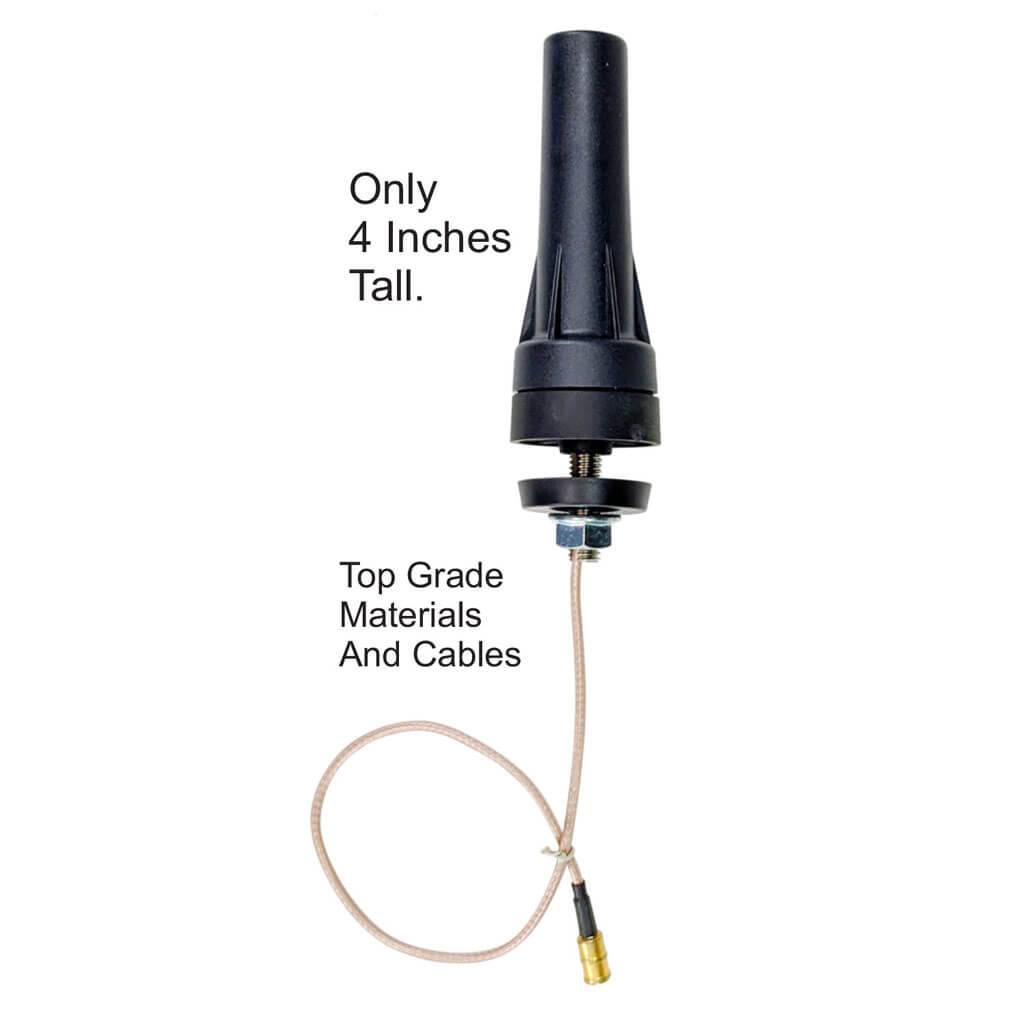
Look over the antenna regularly for signs of damage. Check for cracks, loose parts, or corrosion. Tighten any screws or bolts that feel loose. Inspect the cables for wear or fraying. Replace damaged parts quickly to avoid signal loss. Routine checks keep small issues from becoming big problems.
Credit: siriusxmtrucking.com
Frequently Asked Questions
How Do I Know If My Sirius Antenna Is Broken?
Check for poor or no signal during radio use. Physical damage or loose connections can also indicate a broken antenna.
Can I Fix A Sirius Antenna Myself?
Yes, many antenna issues can be fixed with simple tools and steps. Follow safety precautions and instructions carefully.
What Tools Do I Need To Repair A Sirius Antenna?
A screwdriver, electrical tape, and a multimeter are usually needed. Sometimes, replacement parts like connectors may be required.
How Do I Check The Sirius Antenna Connection?
Ensure the antenna cable is firmly attached to the radio and antenna. Inspect for any cuts or damage along the cable.
Why Is My Sirius Radio Signal Weak Or Intermittent?
Weak signals often mean the antenna is misaligned, damaged, or blocked. Moving the antenna or clearing obstructions can help.
How Do I Realign A Sirius Satellite Radio Antenna?
Loosen the antenna mount and slowly adjust direction. Aim for the clearest sky view to improve signal reception.
What Causes Sirius Antenna Signal Loss Indoors?
Walls, roofs, and electronic devices can block satellite signals. Try placing the antenna near a window or outside.
Can Weather Affect My Sirius Satellite Antenna?
Yes, heavy rain, snow, or thick clouds can weaken satellite signals temporarily. Wait for clear weather to check signal again.
How Do I Replace A Damaged Sirius Antenna?
Disconnect the old antenna carefully, then install the new one following the manual. Test the signal after replacement.
How Often Should I Maintain My Sirius Antenna?
Check connections and antenna condition every few months. Regular cleaning and inspection help keep the signal strong.
Conclusion
Fixing your Sirius satellite radio antenna is easier than it seems. Check connections and clean the antenna carefully. Adjust the antenna position for better signal strength. Small steps can bring big improvements in reception. Stay patient and try different angles if needed.
A working antenna means clear radio and more enjoyment. Keep these tips handy for future antenna issues. Your Sirius radio will deliver great sound again soon.